Checked October 31, 2026
How to Play Bid For An Egg
Follow the developer-confirmed auction, claim, hatch and animal-income sequence.
Quick answer
Read the current bid amounts and countdown, choose a bid you can afford, then confirm the named winner. A won egg enters the wait-to-hatch flow; Play Again returns you to the same table.
Your first egg-to-income loop
Official sequence with recorded interface observations. Follow the current prompts on your device.
1. Bid for the egg
Compare the displayed bid with your balance and choose an amount.
- Success check
- The current round accepts your selected bid.
- If it remains unclear
- Use No Bid / Skip Round when the amount exceeds your budget.
Read the supporting evidence
§1. Bid for the egg#
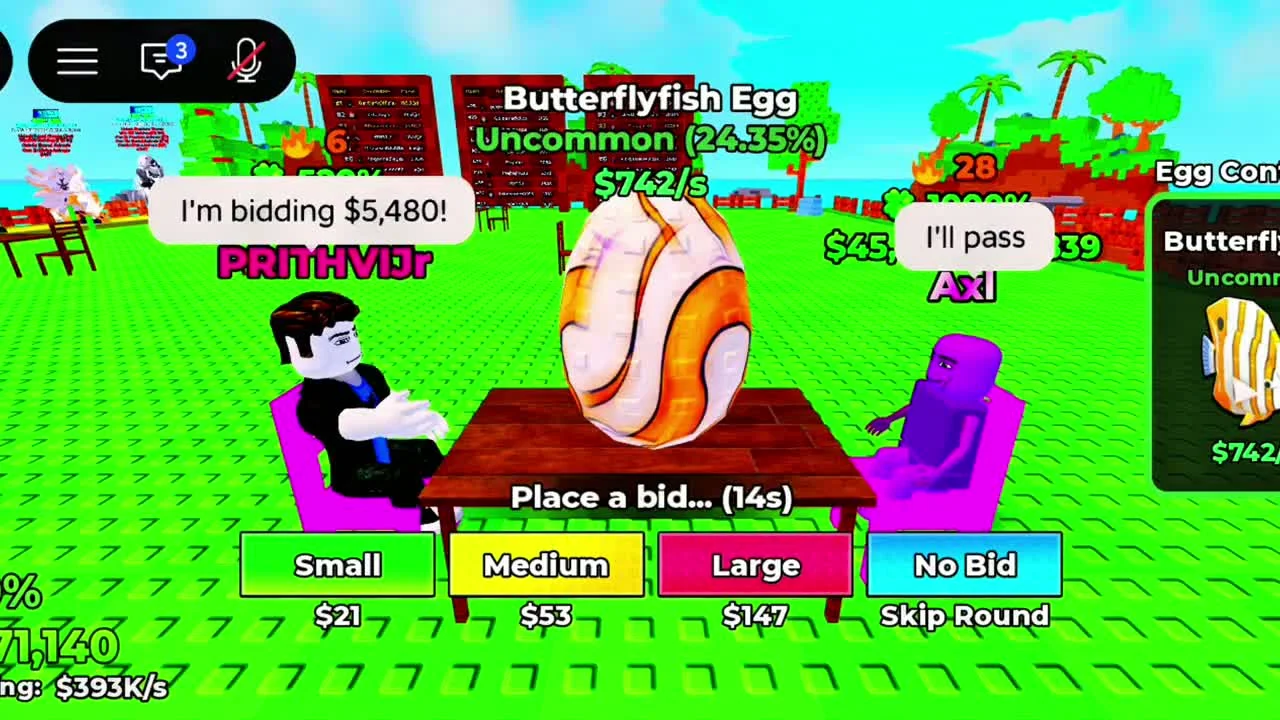
Join the official experience linked below and follow its current auction interface. The developer describes bidding against another player for the egg. Read the displayed amount before committing to another bid.
A practical budget rule is to decide your maximum spend before competing. This is a planning suggestion; the available evidence does not establish a profitable maximum bid for any particular egg.
In the reviewed community recording, Small, Medium and Large buttons offer different bid amounts. No Bid is labelled Skip Round. Compare the displayed amount with your balance and the round countdown before choosing. These controls were visually matched to the official promotional gameplay; amounts can change between rounds.
2. Recognize the winning result
Wait for the outcome and claim an egg only after winning.
- Success check
- The won egg appears in your available items.
- If it remains unclear
- Check the round result before assuming an egg belongs to you.
Read the supporting evidence
§2. Recognize the winning result#
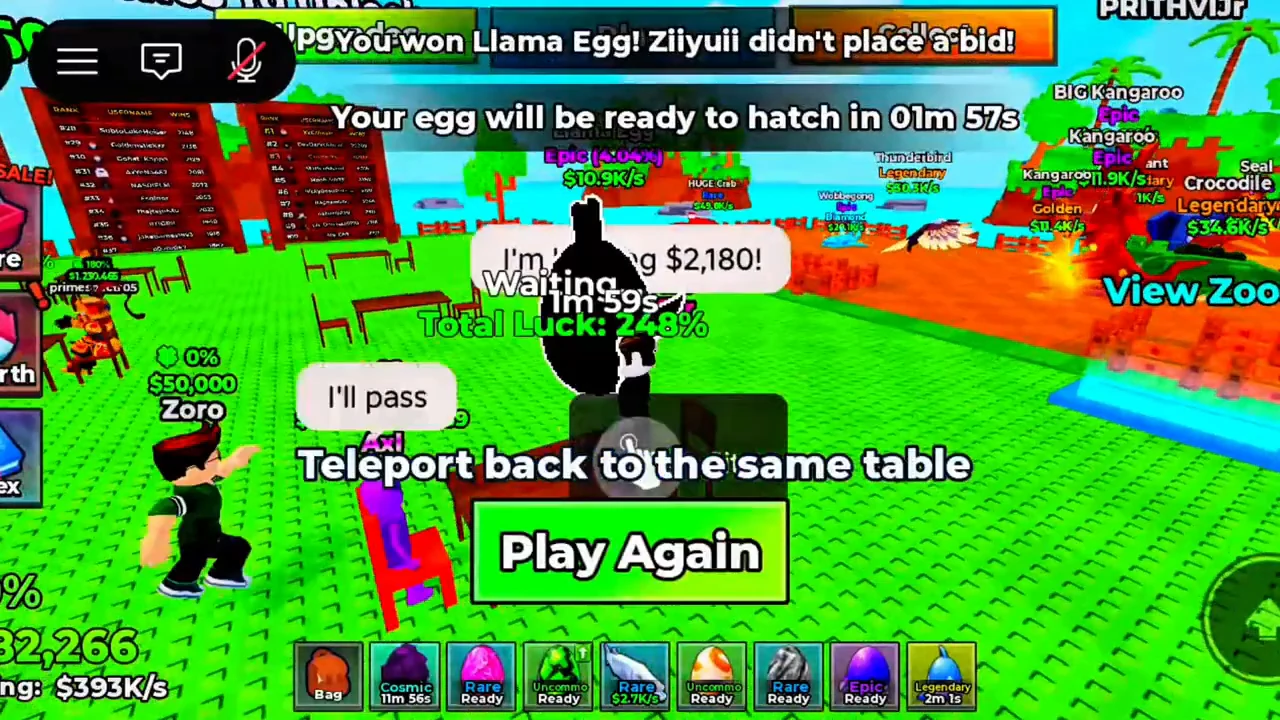
After a successful auction, look for the result banner at the top of the screen. The reviewed round says You won Llama Egg and then displays a separate message giving that egg’s remaining hatch time. This connects the round result to the egg waiting in the hotbar.
The green Play Again control is labelled Teleport back to the same table. Use it when you want to return for another auction; it is not labelled as an egg-claim button. The reviewed result screen does not show a separate Claim control, so follow your current result and inventory state rather than searching for a guessed button.
Check the named winner before treating a displayed egg as yours. Another reviewed round ends with Match ended! Both players passed! A passed round does not show the same winning result. Tie rules, refunds and losing-bid charges are still unverified.
3. Hatch to discover the animal
Inspect the egg timer and follow the current hatch prompt when ready.
- Success check
- The hatched animal appears in your collection.
- If it remains unclear
- Wait for that egg’s countdown; durations may differ.
Read the supporting evidence
§3. Hatch to discover the animal#
Find the won egg in your hotbar. A countdown marks an egg that is still waiting; Ready marks an egg available to open. Select the ready egg and follow the on-screen hatch instruction.
The separate hatching guide shows the waiting state, the click-to-hatch prompt and the animal result. Different recorded eggs have different timers; there is no verified universal hatch duration.
4. Collect income before the next auction
Open Collect and check animal rows before collecting.
- Success check
- Your current collection amount is credited.
- If it remains unclear
- Avoid Quick Sell or removal controls when your aim is to collect income.
Read the supporting evidence
§4. Collect income before the next auction#
Open Collect from the top bar and use the green cash amount on an animal row or Collect All. The cash-management guide explains the animal rows, inventory equipment controls and the separate Quick Sell area.
Read the current amount under each bid button before starting another round. Animal income rates and cash waiting to be collected are different labels, so compare your spend with the actual balance shown in the lower-left corner.
Details
2 sections§When a bid fails for insufficient cash#
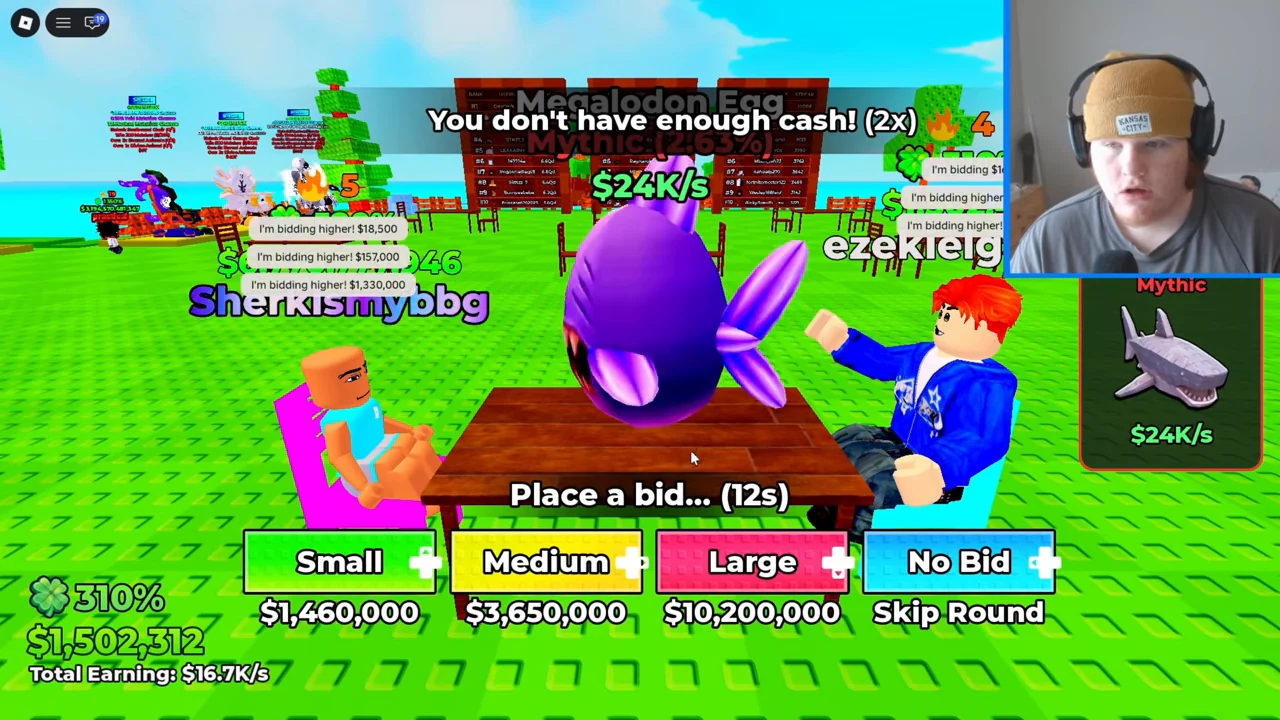
The recording shows You don’t have enough cash! while the auction countdown continues. The Small, Medium and Large buttons still display different amounts. A failed attempt does not establish that your bid was accepted or that you won the egg.
Compare the next displayed amount with your current balance. If you do not want to spend it, No Bid is labelled Skip Round. Collect earned cash before a later round if needed. The amounts in this screenshot belong to the recorded player and are not fixed bid prices or a value list.
§Before buying a cash or luck pass#
The official store lists 2x Cash [PERMANENT] and VIP Pack for this experience. The cash pass name advertises a permanent double-cash benefit. The VIP listing has no descriptive benefit text in the reviewed response, so check the purchase prompt for its included perks before buying.
The official response marks 2x Luck [PERMANENT] and 2x Mutation [PERMANENT] as not for sale. A name in the catalogue does not mean it is currently purchasable. Nothing is a separately named listing with no benefit description; do not assume it grants progression rewards.
Prices can be personalized or changed. Confirm the amount in your Roblox purchase prompt. You can follow the auction, hatch and animal-income loop without relying on any unverified VIP perk, luck formula or paid shortcut.
Scope and sources
Official description checked October 31, 2026.
- The developer confirms the core loop. Exact values and unverified interface details are omitted.