
Checked October 31, 2026
How to Hatch Eggs and Read Animal Stats
Wait for Ready, open the egg, then read the animal’s name, rarity and displayed income.
Quick answer
Wait for Ready, open the egg, then read the animal’s name, rarity and displayed income.
How to Hatch Eggs and Read Animal Stats
Follow the controls currently shown in your game. Recorded numbers can change.
Read the egg countdown and Ready state
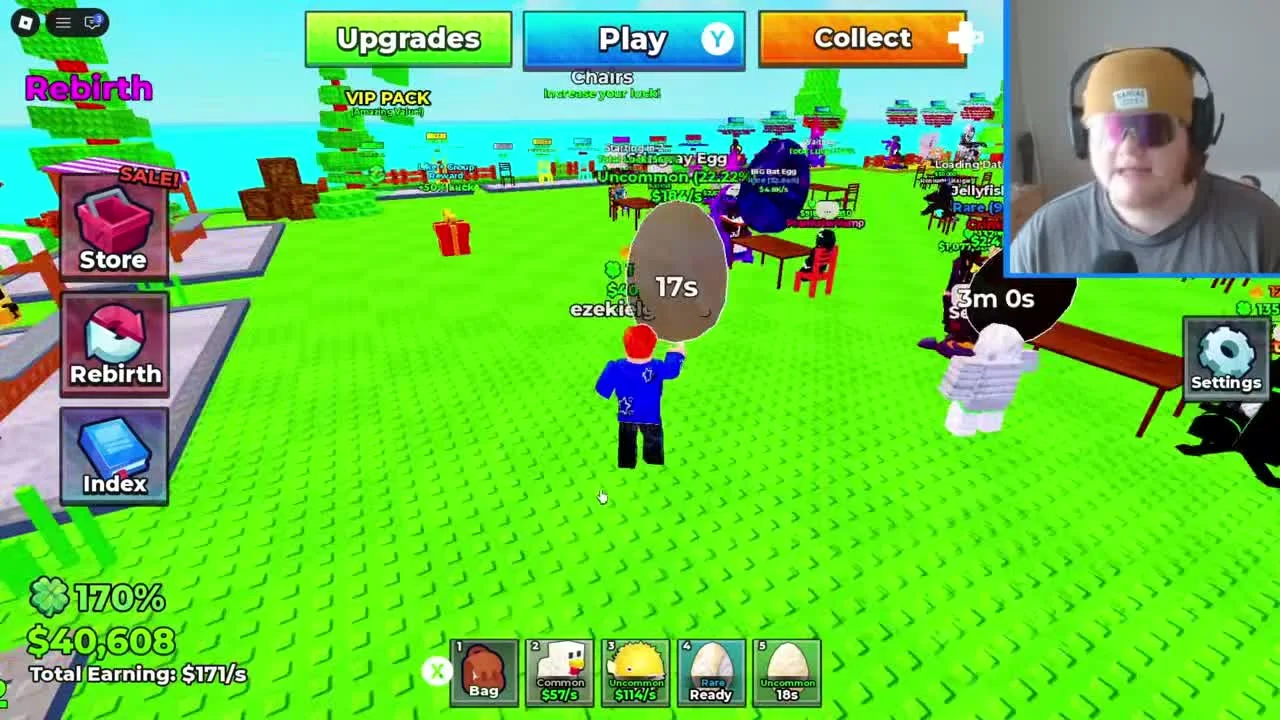
After winning an egg, inspect its hotbar slot at the bottom of the screen.
- Success check
- The selected egg changes from its countdown to Ready.
- If it remains unclear
- Check that you are looking at an egg, not an animal.
Read the supporting evidence
§Read the egg countdown and Ready state#
After winning an egg, inspect its hotbar slot at the bottom of the screen. The reviewed hotbar contains both unopened eggs and animals. Egg slots show a remaining time or Ready; animal slots show an income-per-second label. This is the first check when an item seems unable to hatch.
Wait for the timer attached to that specific egg. In the recording, different egg slots count down separately, and a ready notification names the egg. A timer visible on another egg is not a timer for the whole collection. The footage does not establish whether leaving the server affects the countdown.
Select the ready egg and follow the hatch prompt
Select the egg whose slot says Ready.
- Success check
- The egg opening reveals an animal.
- If it remains unclear
- Select a Ready egg and follow the current input prompt.
Read the supporting evidence
§Select the ready egg and follow the hatch prompt#
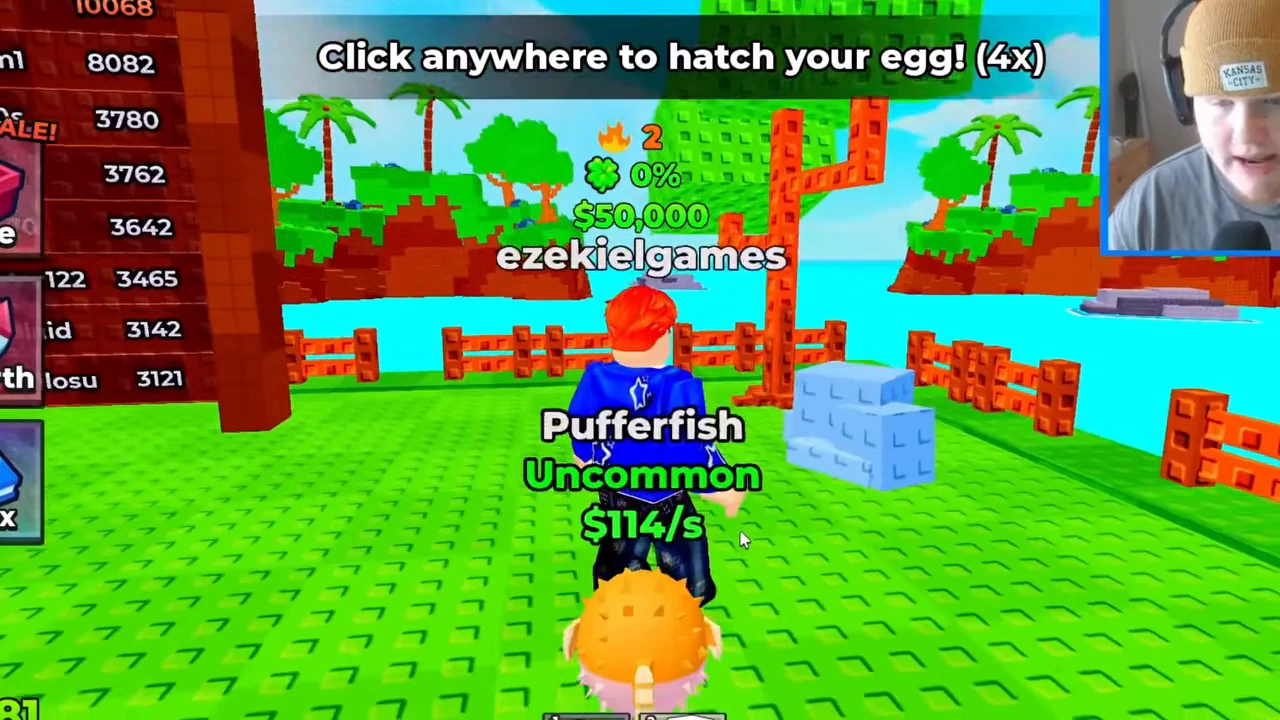
Select the egg whose slot says Ready. The reviewed desktop recording shows the egg held in front of the character and the instruction Click anywhere to hatch your egg! Use that on-screen input while the egg is selected.
Keep the waiting stage and the opening stage separate: a countdown is not the click-to-hatch prompt. If you are still holding an animal, select the egg slot first. The reviewed footage establishes the click instruction, without proving a fixed number of clicks or the corresponding touch/controller input.

Identify the hatched animal and its labels
The next recorded state shows Pufferfish with Uncommon and a dollar-per-second label, replacing the egg model with the animal.
- Success check
- You can identify the animal name and income label.
- If it remains unclear
- Check the item name and collection row.
Read the supporting evidence
§Identify the hatched animal and its labels#
The next recorded state shows Pufferfish with Uncommon and a dollar-per-second label, replacing the egg model with the animal. Use the name and model to confirm the result. The income label describes a rate; the money available to collect is shown separately in Collect.
The recording also distinguishes a mutation label, such as Normal or Diamond, from rarity in the collection menu. Read all labels together when comparing your own animals. The displayed rate is a snapshot for that player and recording, not a guaranteed base rate, sale value or complete animal tier list.
Scope and sources
Official loop with recorded interface observations checked October 31, 2026.
- The developer confirms the core loop. Exact values and unverified interface details are omitted.